
Replace your brush roll every six to twelve months, or sooner if you see fraying, flat spots, or stiffened bristles. Worn brushes stop lifting carpet fibers and start abrading them instead, which burns out your motor faster and damages pile permanently. Check for hair tangles weekly and clean debris buildup—this alone stretches brush life significantly. Turn off and unplug before replacing, use manufacturer parts, and spin the brush after reassembly to confirm proper alignment. The specifics on compatibility, warranty protection, and replacement timing vary by model and your actual use patterns.
Key Points
- Replace brushes every 6-12 months or when bristles fray, bend, or show visible wear to prevent motor damage.
- Monitor motor strain telemetry and alternating DOCK/SPOT light signals indicating brush obstruction requiring immediate inspection and replacement.
- Worn brushes increase amp draw, causing motor overheating, faster battery drain, and potential overcurrent protection shutdowns.
- Weekly cleaning and debris removal significantly prolong brush lifespan; pet homes require replacement every 3-6 months.
- Turn off machine, use manufacturer-approved parts, follow manual instructions precisely, and verify proper brush spin after reassembly.
How Robot Vacuum Brush Rolls Degrade Over Time and Use
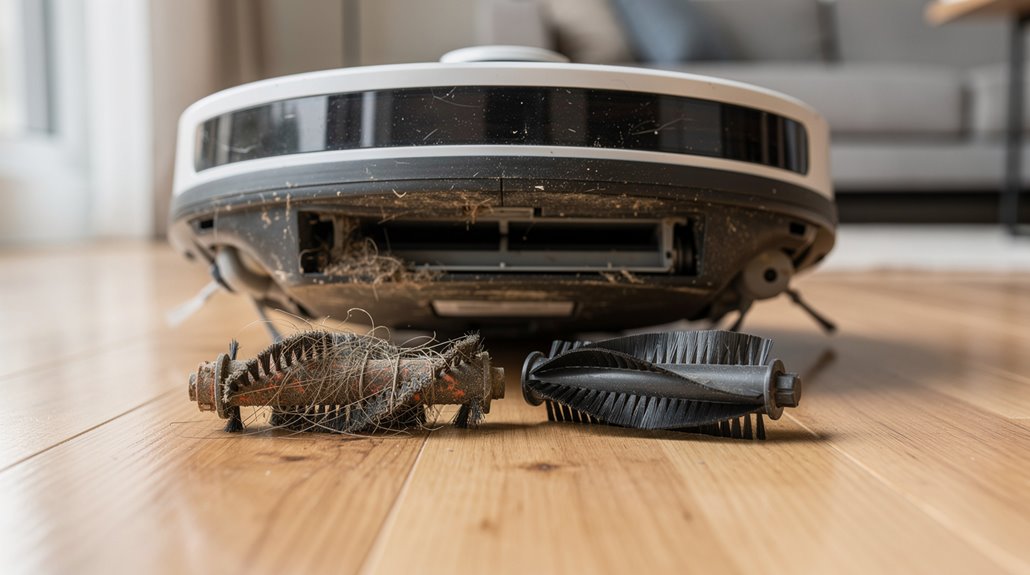
Your robot vacuum’s brush roll won’t stay in top shape forever, and that’s just physics. Bristles fray and bend within six to twelve months. Pet hair wraps around the roller, slowing its spin. Grit causes deformation along the edges. When buildup accumulates, it increases strain on the motor, potentially leading to overheating or mechanical failure if left unaddressed. Over time, worn bristles and accumulated debris also reduce pickup performance, making your vacuum less effective at cleaning your floors.
High-pet homes see degradation in three to six months. Robot vacuum brush roll replacement becomes necessary when performance noticeably drops.
What Worn Robot Vacuum Brushes Do to Motor Load and Carpet Fibres
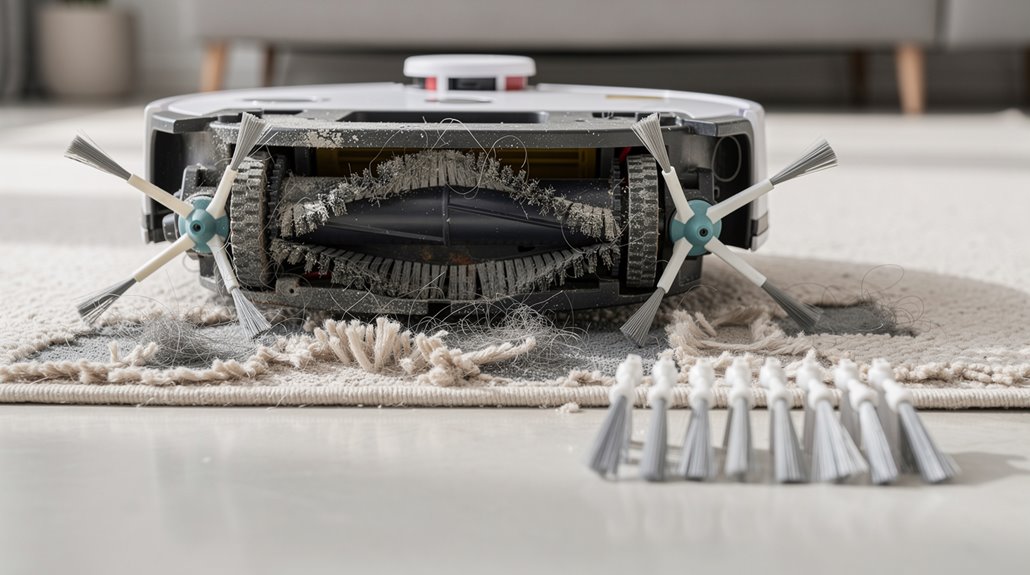
When your brush roll stiffens from wear, those hardened bristles can’t flex properly, so they actually pull and snag carpet pile across each pass instead of lifting it cleanly.
That deformed roll has to work harder against the carpet fibers, which means your motor draws more current to compensate—you’ll notice the amp draw creeping up over time as the bristles lose their give.
The combination of increased motor strain and repeated fiber damage is why replacing worn brushes before they get too stiff matters for both your motor’s longevity and your carpet’s appearance. Unlike brushless motors that reduce friction and heat through electronic commutation, traditional brushed motors in robot vacuums generate additional heat when operating under the increased load of worn brushes, accelerating motor wear even further. Brushed motors typically achieve efficiency levels around 75–80%, which means more energy is converted to heat rather than cleaning power, making them particularly vulnerable to the compounding effect of worn brush resistance.
How a deformed brush roll increases motor current draw over time
A deformed brush roll doesn’t just clean worse—it fundamentally changes how hard your robot’s motor has to work. When bristles bend or matting occurs, mechanical resistance climbs. Your motor compensates by drawing more current.
Here’s what happens:
- Increased friction forces the motor to work harder against carpet
- Current draw rises from normal 3A to sustained increased levels
- Heat builds up inside motor windings over repeated cycles
- Battery drains faster as power consumption climbs steadily
- Large amounts of fibers and sticky oil accumulation on the bearing and brush area further exacerbates motor strain and resistance.
If current exceeds your robot’s overcurrent protection threshold, the motor driver may cut power entirely, shutting down the brush deck mid-cleaning to prevent thermal damage to the windings and circuitry.
How worn stiff bristles pull carpet pile across repeated cleaning passes
Once your brush bristles start to stiffen and lose their original texture, they shift from cleaning tools into something closer to abrading implements.
As robot vacuum brush wear progresses, those hardened bristles catch and pull carpet fibers rather than sweep debris cleanly.
Repeated passes degrade soft pile permanently, creating matted spots.
The irregular edges of worn bristles grip fibers, causing fraying and visible wear patterns that accumulate with each cleaning cycle. This damage risk becomes particularly acute on delicate carpet types, where even moderately stiff bristles can compromise fiber integrity over time. Fringe and rug edges prove especially vulnerable, as entangled fibers in rotating brushes can lead to permanent unraveling once the damage begins.
How to Identify the Signs That a Robot Vacuum Brush Needs Replacing
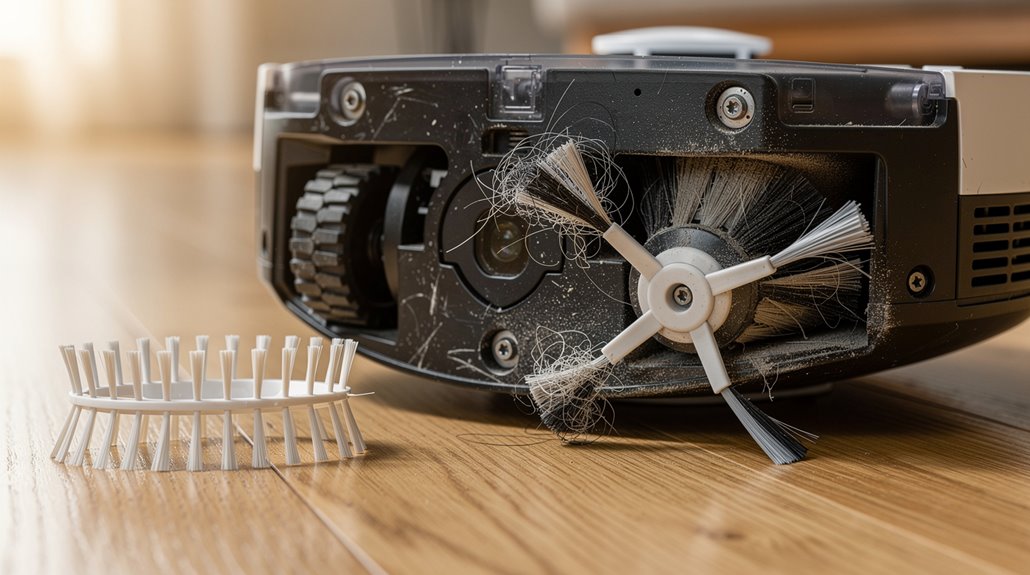
You can spot rubber brush wear by looking for flat spots, discoloration, or a slick surface where bristles used to grip—that’s different from bristle deformation, which shows up as fraying, bending, or missing hairs entirely.
Your robot’s app or companion software often logs motor strain data, and a sustained spike in that number tells you the brush is working harder to do less, which is your signal to order a replacement before the motor takes permanent damage. Hair migration to the side bearings causes friction and heat buildup, potentially leading to plastic melt or motor seizure if the main brush isn’t replaced in time.
Check both indicators together: visible degradation plus rising motor load means you’re past the “still works” stage and into the “replace it now” territory.
Visual wear indicators for rubber brush degradation vs bristle deformation
Spotting the difference between rubber degradation and bristle deformation matters because they signal different problems—and sometimes your brush needs replacing for one reason, not the other.
- Cut rubber shows visible slices where fur friction damaged the material
- Bent bristles flatten or lean sideways instead of standing upright
- Matted bristles clump together, losing their agitation effectiveness
- Discolored rubber indicates oxidation from extended use beyond peak performance
Your robot vacuum rubber brush replacement timing depends on which wear pattern you’re seeing. When your robot displays “DOCK” and “SPOT” alternate flashing, this indicates main brush roll obstruction and signals it’s time to inspect your brush for these wear patterns before damage spreads to other components.
How manufacturer app motor strain data signals brush replacement timing
Modern robot vacuums like Roborock models track brush wear through motor strain data that gets relayed to your phone app in real time.
When bristles wear down or gears strip, your vacuum’s motor works harder, drawing more power. The app flags this increased strain before actual damage happens.
You’ll see motor load notifications trigger when replacement timing matters most, letting you swap brushes before motor failure becomes expensive.
How Often Robot Vacuum Manufacturers Understate Brush Replacement Intervals
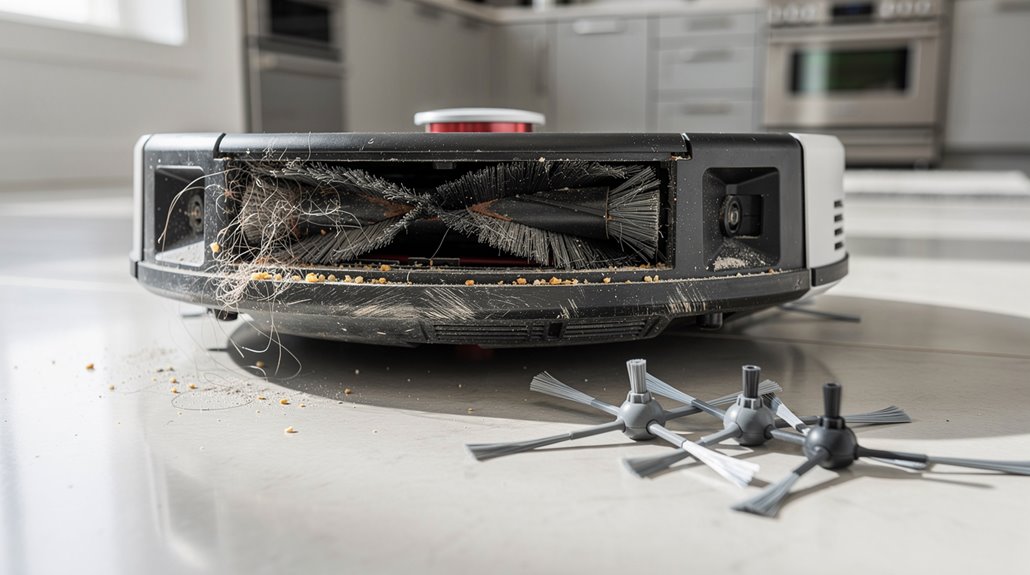
If you follow a manufacturer’s brush replacement schedule to the letter, you’ll likely be swapping parts long before they actually need it. Here’s what’s really happening:
- Manufacturers recommend 6-month intervals, but users report brushes lasting over 8 months without performance drops
- Weekly cleaning extends brush life significantly beyond stated timelines. Consistent maintenance habits like removing hair and debris from brushes weekly can prolong lifespan considerably and reduce the need for frequent replacements. Side brushes wear out faster than main brushes and should be monitored more closely for bristle loss and wear.
- Filter replacement intervals assume minimal maintenance habits
- Your robot vacuum brush replacement interval depends more on actual use patterns than company guidelines suggest
How to Replace a Robot Vacuum Brush Roll Without Voiding Warranty
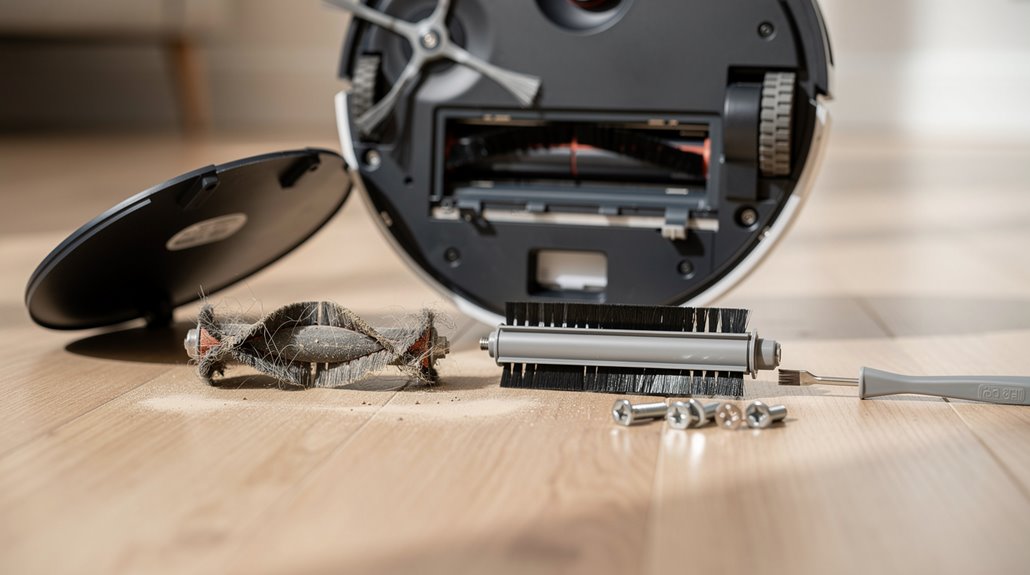
Replacing your robot vacuum’s brush roll yourself won’t automatically void your warranty—but doing it wrong absolutely will. Follow your manual exactly. Use only manufacturer-approved replacement brush roll parts. Turn off and unplug first. Secure every cover and screw. Spin the brush to confirm it works.
Skip these steps, and you’ve voided coverage. Self-repair damage isn’t covered. Ensure the belt is properly tensioned and aligned with the motor pulley during reassembly to prevent mechanical failure that could trigger warranty denial. Keep your original proof-of-purchase available, as valid proof-of-purchase is required to assert any warranty claims within one year after a defect occurs.
Which Replacement Brush Rolls Are Compatible with Major Robot Vacuum Models
Now that you’ve got the replacement technique down, the real question is whether you’re buying the right brush for your specific vacuum model. Robot vacuum brush compatibility matters because wrong brushes won’t fit or work properly.
- Shark Matrix and AI series accept main rollers across RV2300, RV2310, and RV2320S models. The thick nylon bristles on these replacement brushes remove 99.97% of floor debris for optimal cleaning performance.
- Roborock S8 Pro Ultra uses dual brushes different from Q5 Pro models. Our dual rubber main brush replacements are compatible with S8 Pro Ultra, S8, S8+, Q5 Pro, Q5 Pro+, Q8Max, and Q8Max+ for reliable performance across multiple Roborock models.
- Hybrid brushes work mixed floors but cost more than single-material options
- Non-OEM brushes reduce tangling with pet hair on most brands
Frequently Asked Questions
Can I Clean and Reuse Old Robot Vacuum Brushes Instead of Replacing Them?
Yes, you can clean and reuse your robot vacuum brushes. You’ll remove tangled hair, wipe them with a damp cloth, and air-dry completely before reinstalling. Regular cleaning maintains performance and extends brush life significantly.
What’s the Average Cost of Replacement Brush Rolls Across Different Brands?
You’ll find replacement brush rolls ranging from $10.99 for budget Dirt Devil models to $39.99 for premium iRobot brushes. Mid-range options like Shark and Roborock typically cost $19.99–$27.99, offering quality performance without premium pricing.
Do Third-Party Replacement Brushes Work as Well as Original Manufacturer Brushes?
You’ll find third-party side brushes work equally well as OEM models, but main rollers don’t. You’re better off choosing reputable aftermarket brands for simple parts while sticking with OEM for complex core components.
How Do I Dispose of Old Robot Vacuum Brushes Responsibly?
Like worn threads in a tapestry, you’ll drop old brushes at electronics recycling facilities or e-waste centers. You can’t toss them in regular trash—their non-biodegradable plastics and metals demand specialized handling. Contact Earth911 or your local municipality for nearest drop-off locations.
Will Replacing Brushes Improve My Robot Vacuum’s Cleaning Performance?
Yes, you’ll restore your vacuum’s pickup power by replacing worn brushes. You’ll experience up to 30% improved debris collection, deeper carpet penetration, and better edge cleaning when you install new brushes.
Conclusion
You’ve seen the wear pattern now: frayed bristles slow your vacuum’s pickup, motors strain harder, and carpet fibers get tugged instead of cut cleanly. Replacing brushes every three to six months—not the twelve months manufacturers suggest—keeps your machine running efficiently and your floors actually clean. Grab compatible OEM or third-party rolls, swap them in five minutes, and you’re done. Your vacuum stays honest.